The Mac Menu Bar Is My New Scratchpad for AI Developer Tools
I have been building a bunch of small Mac menu bar apps lately.
Not because I decided to become a Mac app company. More because the menu bar is the right surface for a certain kind of personal developer tool: something you glance at, summon quickly, use for five seconds, and then forget about until the next time it saves you a context switch.
The surprising part is how straightforward this has become.
With XcodeBuildMCP, XC testing, better Claude Code and Codex workflows, and remote Mac runners, building tiny native Mac utilities is now a very reasonable way to scratch your own itch. The loop is short: describe the friction, let the agent scaffold the SwiftUI app, build it through Xcode, run tests, fix the papercuts, and dogfood it immediately.
That is especially true for macOS menu bar apps. SwiftUI's MenuBarExtra gives you the basic shape. XcodeBuildMCP gives agents a reliable way to build, test, run, and inspect native Apple projects. Remote Mac runners give you somewhere else to do the work when your main machine is busy.
The result is a weirdly pleasant new workflow: notice a repeated annoyance, turn it into a small app, and keep the finished tool close to where your attention already lives.
Here are the recent ones.
Session Search
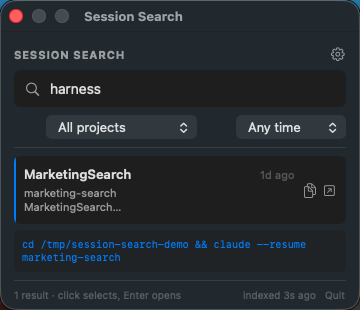
Session Search is indexed full-text search across Claude Code and Codex sessions.
The itch: I often remember a command, bug, decision, or phrase from a prior agent session, but not the session title. Built-in resume pickers are useful, but they do not make the whole transcript feel searchable enough.
So Session Search indexes local session transcripts and gives me a menu bar search box with snippets and one-click resume.
CCSwitcher Codex
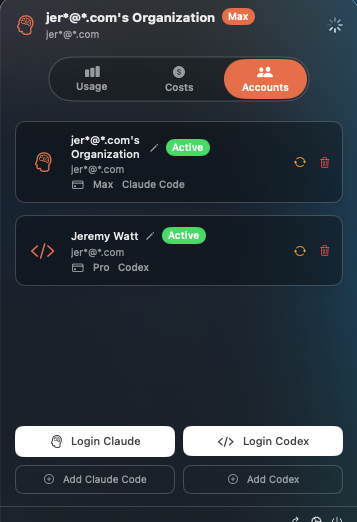
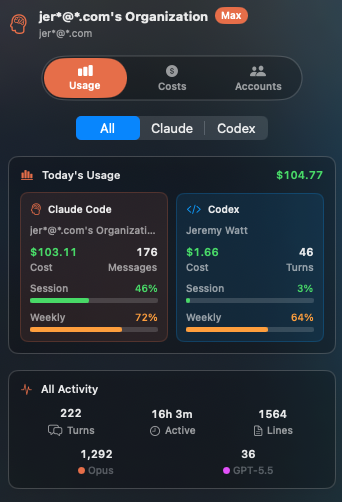
CCSwitcher Codex shows Claude Code and Codex usage across accounts.
The itch: when I am bouncing between Claude Code and Codex, I want a quick sense of active accounts, quota windows, local activity, and rough API-equivalent cost without opening dashboards or spelunking through CLI files.
This is exactly the kind of ambient status that belongs in the menu bar.
SpaceLabeler
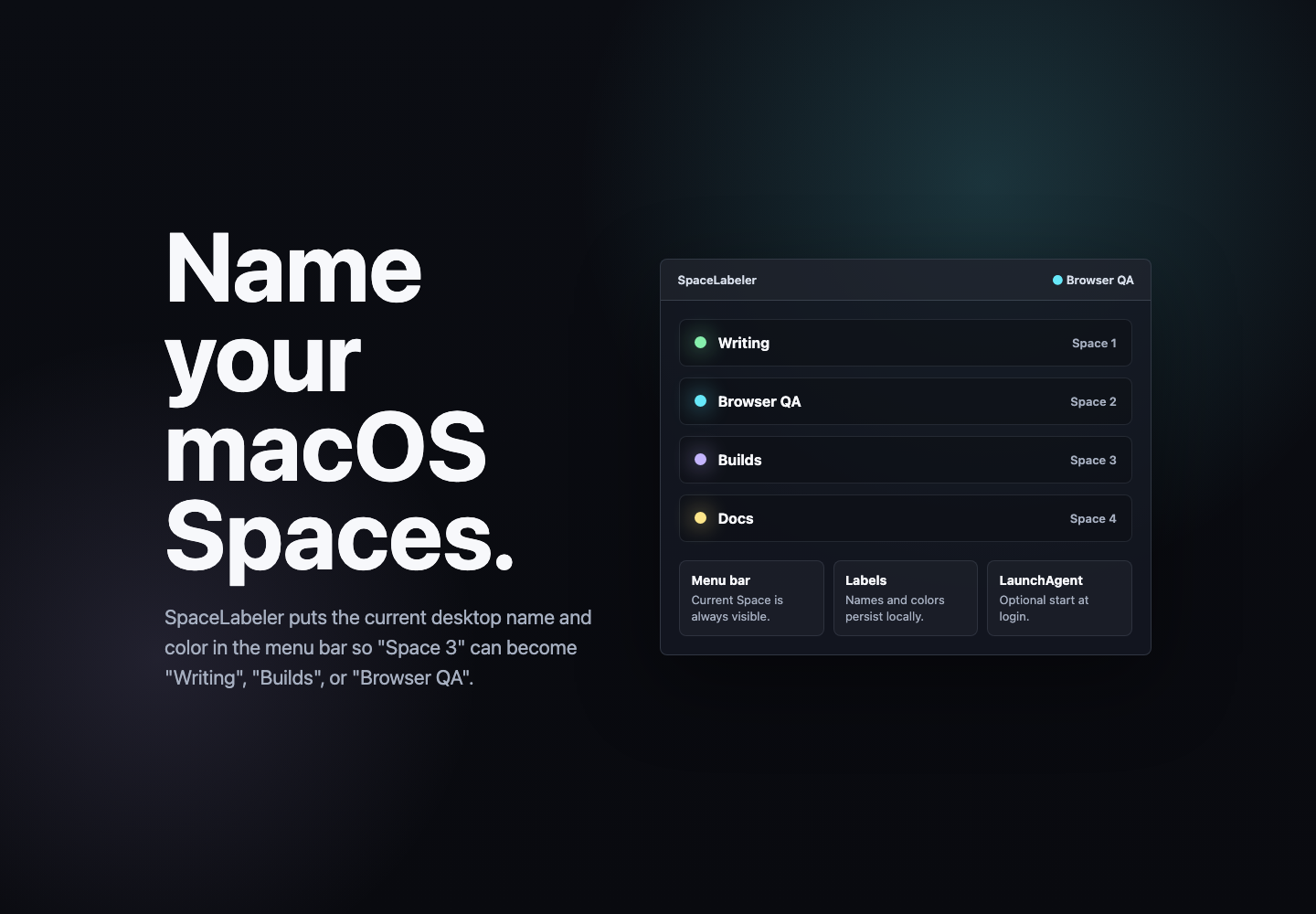
SpaceLabeler lets me name and color-code Mac Spaces.
The itch: I run a lot of desktops. Writing, browser QA, builds, agents, dashboards, random experiments. Numbered Spaces are not enough. I want the current context visible in the menu bar so my desktop layout stays legible.
Tiny tool. Real relief.
PR Menu Bar
PR Menu Bar tracks merged pull request activity.
The itch: as agent-assisted development gets faster, I want a quick read on velocity. Not a big analytics dashboard. Just a local, glanceable pulse: what merged, when, and where.
It can run on sample data or live GitHub data, and the menu bar shape keeps it light.
Fleet
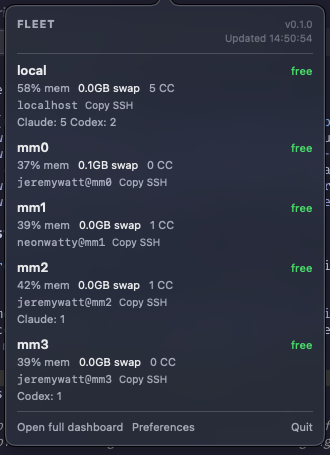
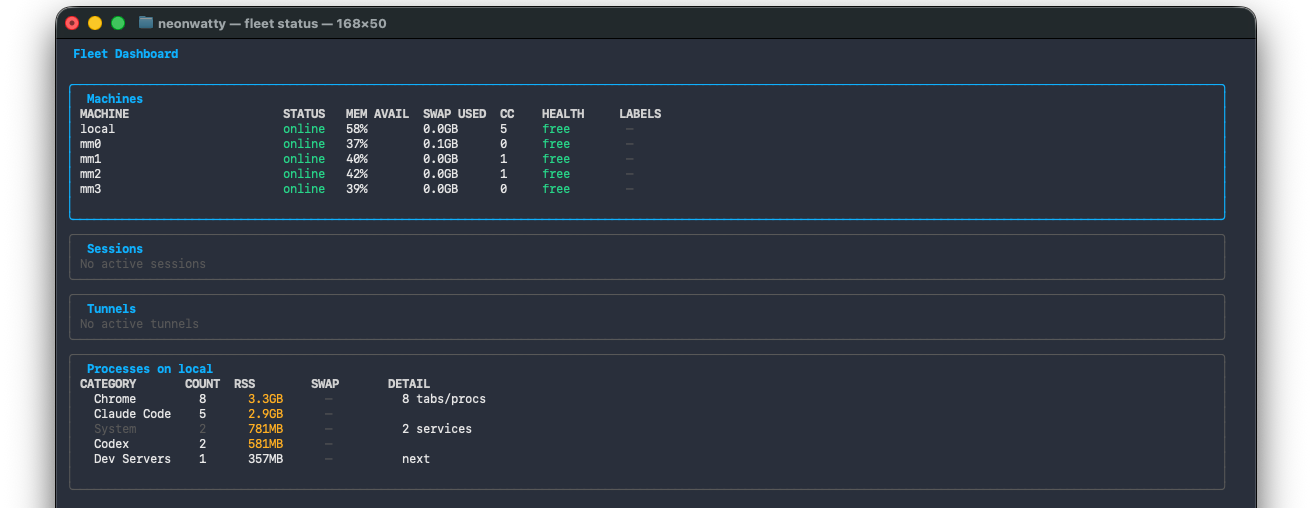
Fleet dispatches Claude Code sessions across local Macs.
The itch: I have multiple Macs on the network and want to use them as a small local agent cluster. Fleet picks a healthy machine, launches work over SSH, sets up dev server tunnels, and gives me status from a CLI and menu bar app.
This one is less "tiny widget" and more "personal infrastructure," but the principle is the same: make the workflow visible and reachable from wherever I already am.
The pattern
The menu bar is good for tools that answer one of these questions:
- Where am I?
- What is running?
- What needs attention?
- What did I do recently?
- Where should the next task go?
That maps surprisingly well to agentic development. Once you have multiple coding agents, multiple accounts, multiple machines, multiple PRs, and multiple local sessions, the bottleneck shifts from "can the code be written?" to "can I keep the system understandable?"
Small Mac apps help with that.
They do not need to be venture-scale products. They can just be native little pieces of personal leverage: indexed memory, usage visibility, workspace labels, PR pulse, and local fleet control.
That is what feels new to me. AI coding agents do not just make it easier to build big apps. They make it easier to build the tiny tools you always wanted but never had enough spare attention to make.
The menu bar is a great place to put those tools.