Claude Code Skills for iOS Human Interface Guidelines Testing
Whenever you're working on something new—a feature, a complex process, a workflow—you start with a single idea. But as soon as you start pulling the thread, everything gets complicated. Edge cases emerge. Requirements you hadn't considered surface. The simple thing becomes not-so-simple.
If you dive straight into development without fully pulling that thread, you end up building something brittle, incomplete, less robust than it seemed when you first had the idea.
Claude's AskUserQuestion tool, used repetitively, helps dredge all that stuff out of the ether before you write any code. (This post was inspired by a tweet from Thariq about using the tool for spec-based development.)
Here's an example: a skill that uses AskUserQuestion to systematically interrogate your app against platform conventions—and catches issues you'd never think to check for.
The Problem
Ask Claude to review your iOS app and it sees what it sees. Without explicit guidance, it might catch obvious issues while missing deeper pattern violations:
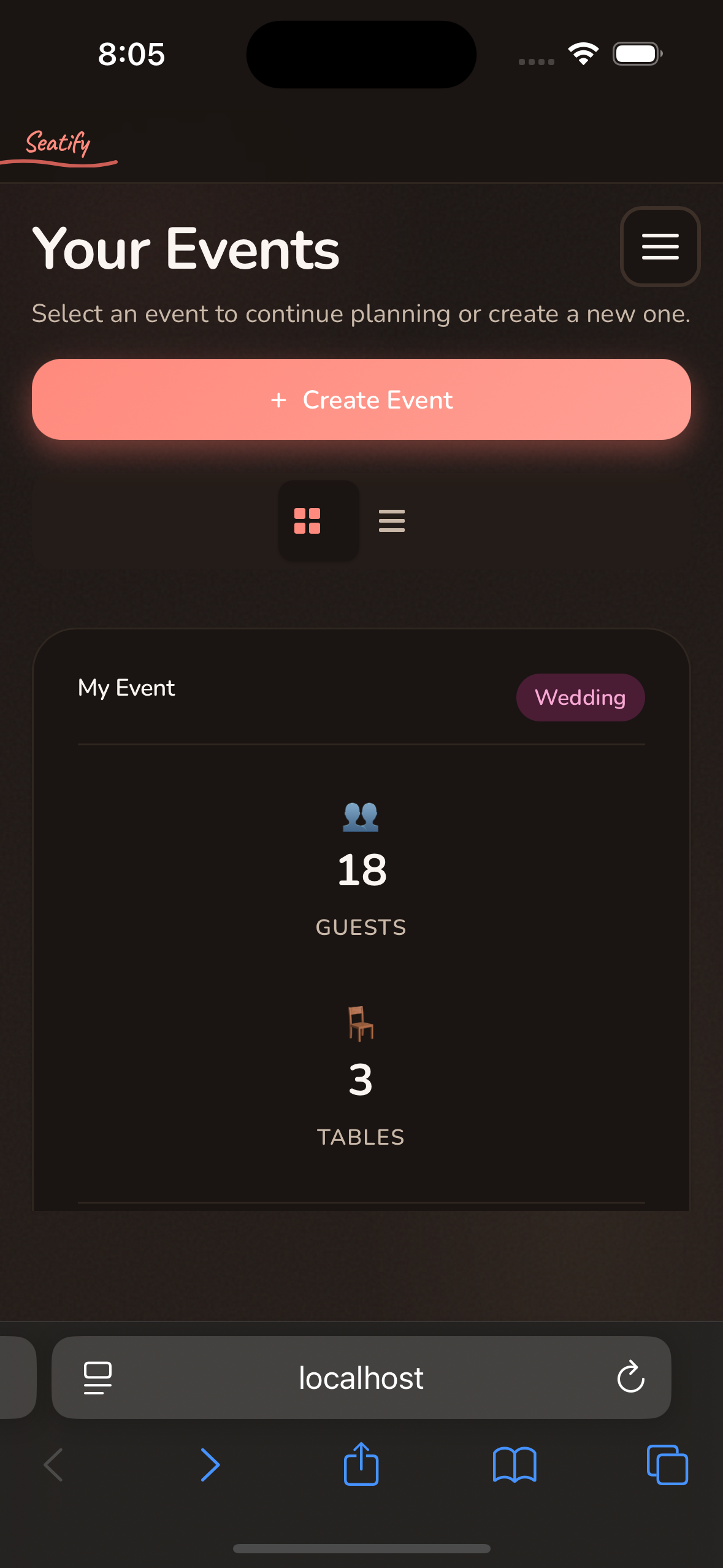
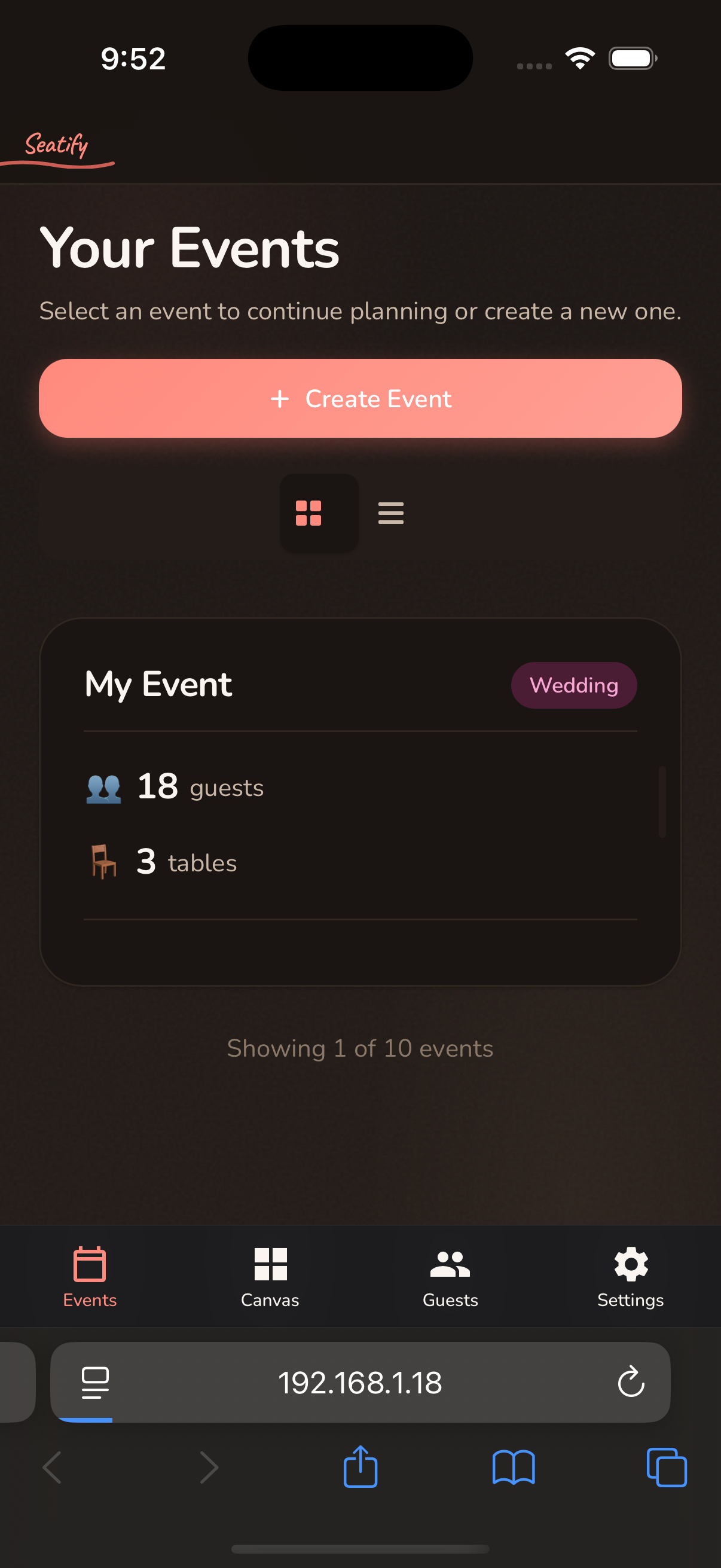
- Hamburger menu instead of tab bar navigation
- Centered modals instead of bottom sheets
- HTML
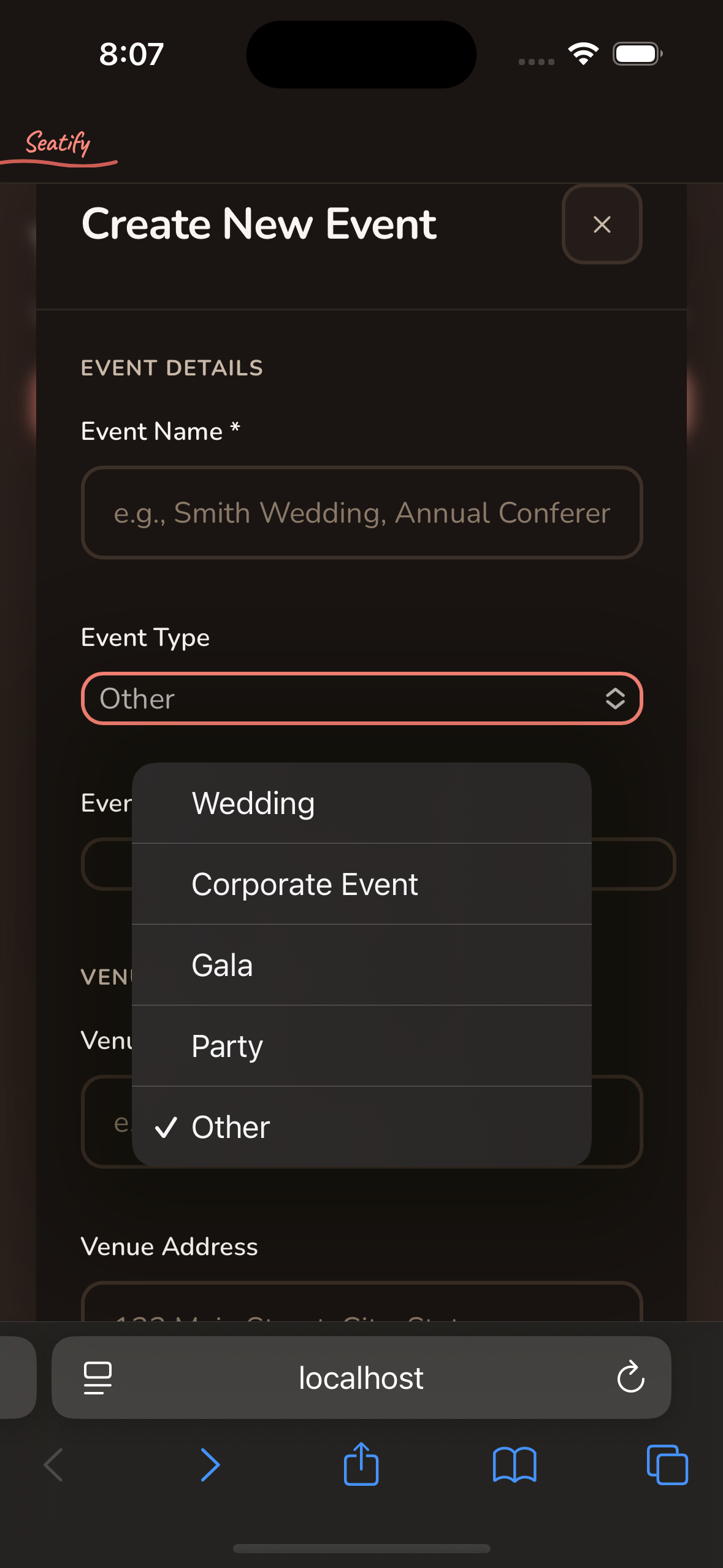
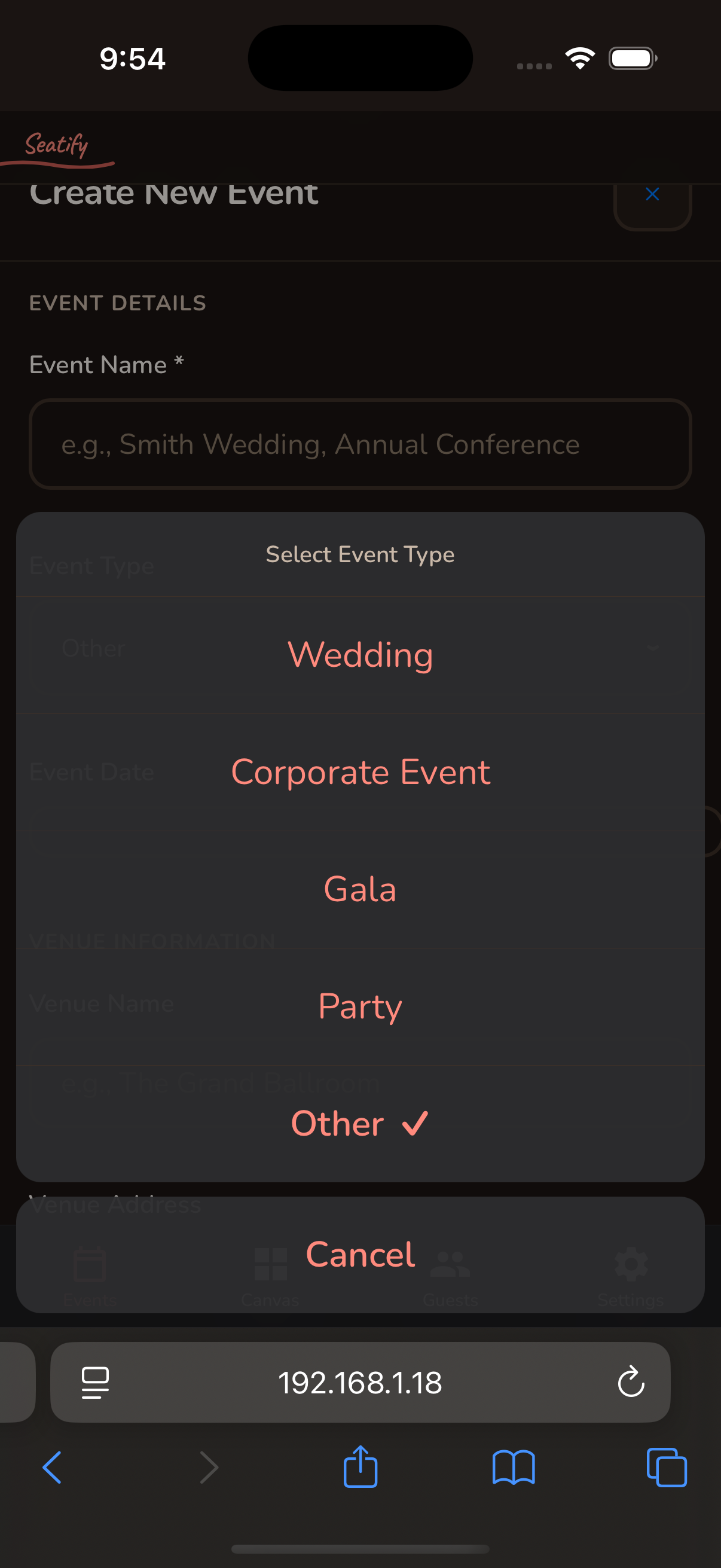
<select>dropdowns instead of iOS action sheets - Visible edit/delete buttons instead of swipe-to-reveal
- Floating action buttons (Material Design on iOS)
These aren't bugs. They're platform convention violations—invisible unless you know to look for them.
Step 1: Generate Workflows with AskUserQuestion
The first skill—ios-workflow-generator—uses AskUserQuestion repeatedly to pull the thread on what workflows you actually need to test. It explores your codebase, identifies user journeys, then asks you to verify before writing anything:
### Phase 6: Review with User (REQUIRED)

**This step is mandatory. Do not write the final file without user approval.**

Use `AskUserQuestion` to ask:
- "Do these workflows cover all the key user journeys?"
- Options: Approve / Add more workflows / Modify existing / Start over

**Only after explicit approval**, write to `/workflows/ios-workflows.md`
This is where the AskUserQuestion pattern pays off. Claude proposes workflows based on your codebase, you refine them, it asks follow-up questions, you refine again—until you've actually thought through what needs testing.
Real Example: Seatify Workflows
I ran the generator on Seatify—a seating chart app I'm building to help wedding planners, corporate event planners, and others more easily optimize and share seating arrangements.
After a few rounds of Q&A, it produced 10 workflows covering the full user experience. Here are the first three:
### Workflow: First-Time Onboarding

> Tests the complete flow of a new user arriving at Seatify
> and creating their first event.

1. Open Safari and navigate to app
   - Wait for landing page to fully load
   - Verify primary CTA button is at least 44pt tall

2. Verify landing page iOS conventions
   - Verify navigation uses iOS-appropriate patterns (no hamburger)
   - Verify all buttons have adequate touch targets

3. Initiate event creation
   - Tap the primary "Create Event" button
   - Verify modal appears with smooth iOS-style animation

4. Fill in event details
   - Tap date picker field
   - Verify iOS-style date picker appears (not web dropdown)
...
### Workflow: Canvas Manipulation

> Tests the core seating canvas functionality—the heart of Seatify.

1. Test pan/scroll interaction
   - Swipe up on the canvas area
   - Verify canvas scrolls smoothly

2. Add a table to canvas
   - Tap "Add Table" control
   - Verify table appears on canvas

3. Drag table to new position
   - Long press on the table element
   - Drag to a different location
   - Verify drag feedback is smooth (not laggy)
...
### Workflow: Guest Seating Assignment

> Tests assigning guests to tables via drag-and-drop.

1. Open guest list panel
   - Tap guest list toggle
   - Verify panel slides in

2. Drag guest to table
   - Drag selected guest toward a table
   - Release guest over table
   - Verify guest is assigned
...
Each workflow includes explicit iOS convention checks—not just "does it work" but "does it feel native."
Step 2: Execute Workflows
Once you have workflows, the ios-workflow-executor runs them against your app. It includes built-in checklists and anti-pattern tables:
| Anti-Pattern | iOS Convention |
|---|---|
| Hamburger menu (☰) | Tab bar at bottom |
| Floating Action Button | Navigation bar buttons |
| Web-style dropdowns | iOS Picker wheels |
| Checkboxes | iOS Toggle switches |
What the Executor Found
| Issue | iOS Requirement | Current State |
|---|---|---|
| Hamburger menu | Tab bar for primary nav | ☰ icon in header |
| HTML select dropdowns | iOS-style pickers | <select> with chevron |
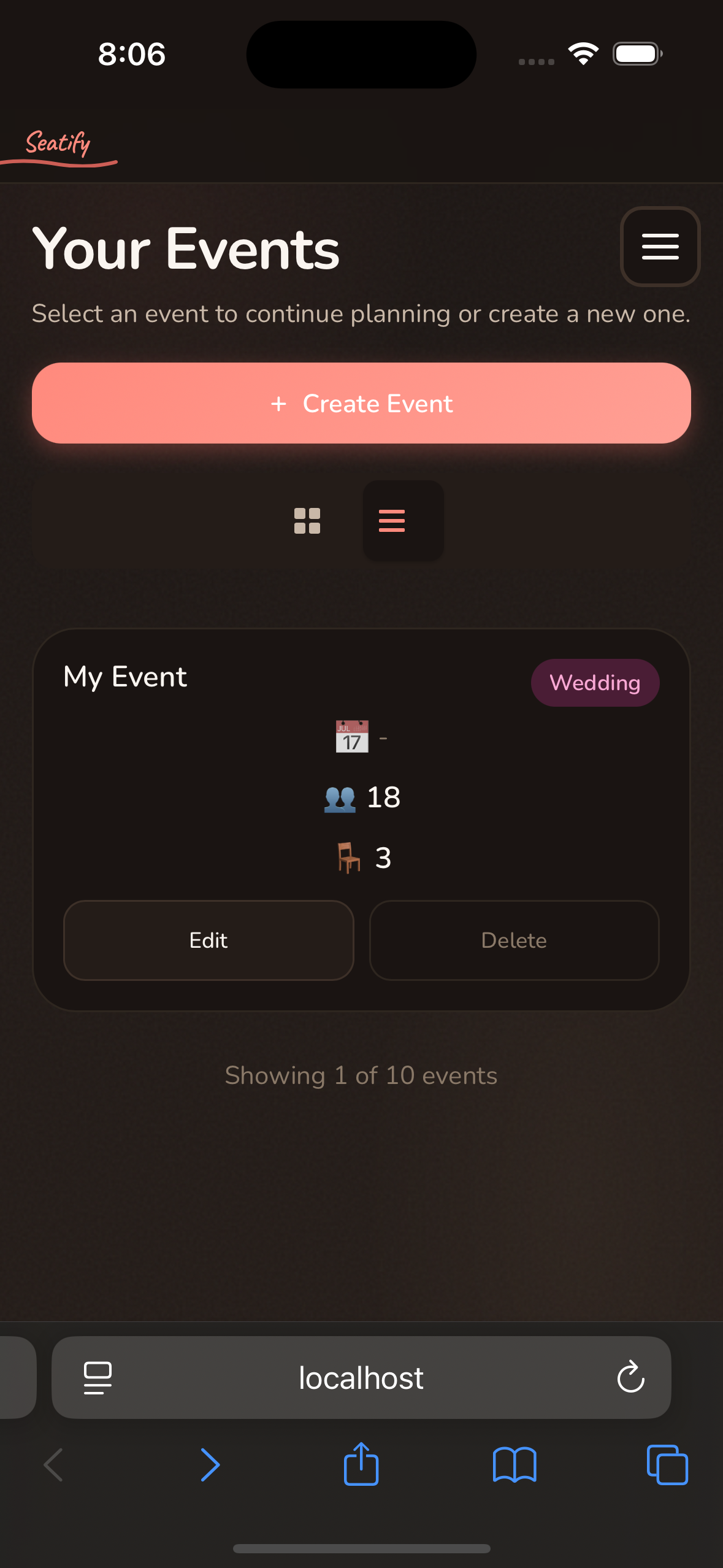
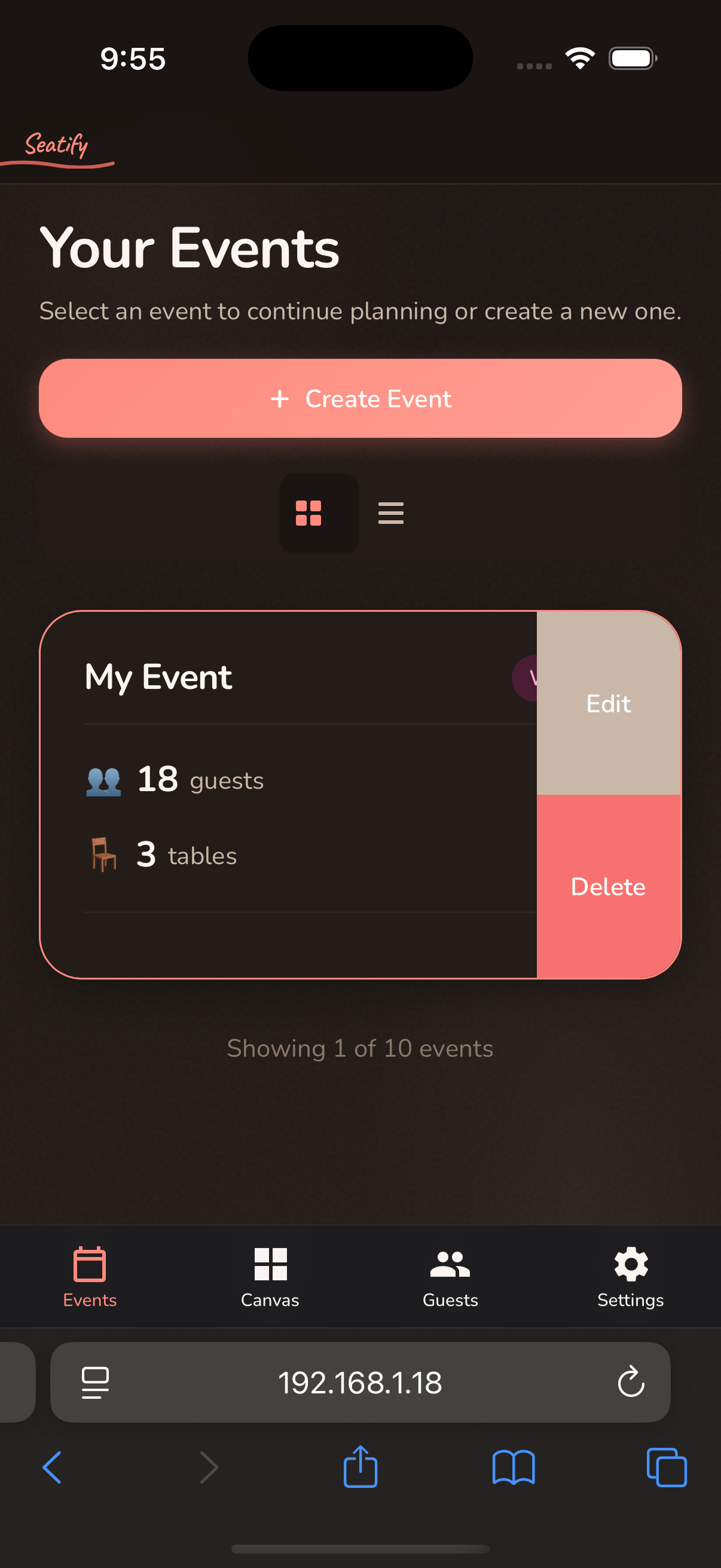
| Visible action buttons | Swipe-to-reveal | Edit/Delete always visible |
| Centered modals | Bottom sheets | Web-style centered dialogs |
| Floating action button | No FABs on iOS | FAB on canvas |
Here are three of the fixes:
Hamburger Menu → iOS Tab Bar
HTML Select → iOS Action Sheet
Visible Buttons → Swipe-to-Reveal
The core insight: Claude is excellent at systematic verification when given explicit criteria. The problem with "review my iOS app" is Claude fills in the criteria itself.
Workflow documents make criteria explicit. Anti-pattern tables catch cross-platform pollution. User approval gates prevent Claude from running ahead.
Stop letting Claude improvise your UX reviews. Give it a checklist.
Repository: github.com/neonwatty/claude-skills
Related posts: