Playwright MCP Save Session: Keep Logged In Across Claude Code Sessions with storageState
Every Playwright MCP session starts unauthenticated. If your app requires login, you're manually signing in before any real browser automation work begins — every single time. I built a Claude Code plugin that uses Playwright's storageState to save your authentication cookies and keep you logged in across sessions. Log in once per user role, and the plugin restores your persistent session automatically in future Claude Code sessions.
How to Save and Reuse Playwright MCP Login State
playwright-profiles has two components:
/setup-profiles— interactive slash command to save authenticated browser sessions via Playwright'sstorageStateuse-profilesskill — auto-loads the right saved profile when Claude does browser work
Setup — run /setup-profiles in any project. Claude asks what user roles you need, opens a headed Playwright browser to your login page, and waits while you authenticate manually (works with password login, Google OAuth, SSO, MFA — anything). After you confirm, it captures storageState and saves it:
.playwright/
  profiles.json          # committed — role names + login URLs
  profiles/
    admin.json           # gitignored — storageState cookies/tokens
    user.json            # gitignored
Usage — just mention a role when asking Claude to do browser work. "Test the admin dashboard" or "browse the site as a planner." Claude loads the right profile's cookies via addCookies() and navigates directly to the target page — already authenticated.
Playwright storageState: Save Auth Cookies and Restore Them
Under the hood, the plugin uses browser_run_code with Playwright's context API:
// Capture — saves cookies, localStorage, sessionStorage
async (page) => { return await page.context().storageState(); }

// Restore — loads saved cookies before navigating
async (page) => {
  const state = SAVED_STATE_JSON;
  await page.context().addCookies(state.cookies);
}
A gotcha with client-side auth libraries: don't navigate to the app's origin to restore localStorage before going to the target page. Apps using Supabase (and similar) will detect the restored session cookies during client-side initialization and clear them. Skip localStorage restoration (it's usually analytics state) and just set cookies + navigate directly.
Playwright MCP Authentication with Multiple User Roles
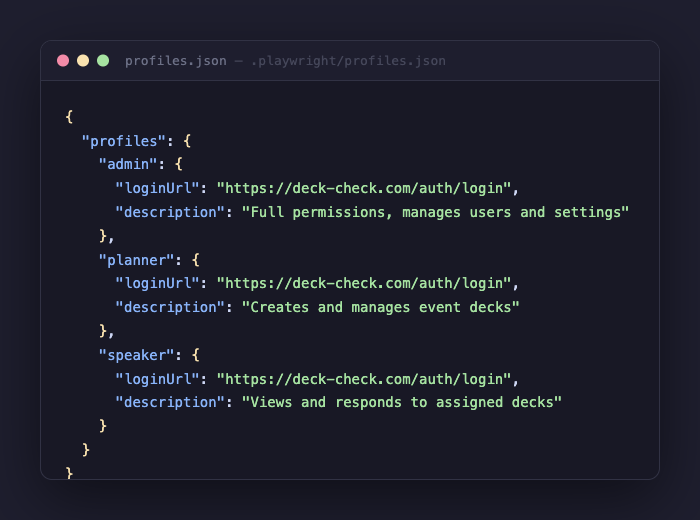
For apps with multiple user types, each gets its own persistent profile:
{
  "profiles": {
    "admin": {
      "loginUrl": "https://deck-check.com/auth/login",
      "description": "Full permissions, manages users and settings"
    },
    "planner": {
      "loginUrl": "https://deck-check.com/auth/login",
      "description": "Creates and manages event decks"
    },
    "speaker": {
      "loginUrl": "https://deck-check.com/auth/login",
      "description": "Views and responds to assigned decks"
    }
  }
}
Claude matches profile names to conversation context automatically. The config file is safe to commit — it contains only role names and URLs. The actual storageState files with session cookies are gitignored. On a fresh clone, Claude sees the missing auth files and suggests running /setup-profiles to re-authenticate.
Get It
gh repo clone neonwatty/playwright-profiles ~/.claude/plugins/playwright-profiles
Then in any project: /setup-profiles
Sessions expire (Supabase tokens last about an hour, other apps vary). Run /setup-profiles again to refresh.