Share Your Random Thoughts with the World Without Leaving Claude Code
When I have a random thought to share - about something I'm working on or reading - sometimes I don't want to open Twitter or LinkedIn; its easy to get distracted, lose 20 minutes to the feed, and forget what I had to say.
As my productivity increases - I'm also finding that switching from terminal to browser (esp social feed UX's) is quite a big context shift. It takes time to enter into / recover from. Like a smaller version of meeting context shifting.
So for times I want to stay focused on work and still share, I built a set of CLI tools to post directly from the terminal—and designed them to work with Claude Code (to help me publish and polish blurbs).
What This Is (and Isn't)
This is not a replacement for browsing and engaging on social platforms. That would be too anti-social. Even for me.
It's for those moments when you have a thought, want to capture and share it quickly, and get back to what you were doing. Write, polish with Claude Code, publish, done.
The Tools
Research:
autocomplete— Keyword suggestions from Google, YouTube, Bing, Amazon, DuckDuckGoreddit— Search Reddit for pain points and real-world language
Distribution:
twitter— Post tweets, threads, and media to X/Twitterlinkedin— Post updates and media to LinkedInyoutube— Upload and manage YouTube Shorts
Support:
gforms— Create and manage Google Forms
Example Workflows
1. Random Thought to Social Post
You have a thought (holy shit). You want to share it without sounding like a complete moron. A (very) short version of the kind of interaction you can have with Claude Code + the CLI tools.
# You start with your rough thought:
> "claude code + gh cli has been huge for me. polish this for twitter"

# You go through iterations flushing out your thought / polishing it
> ...

# Claude Code polishes it, you approve, then:
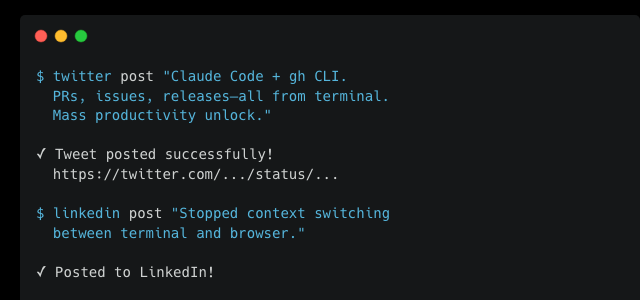
twitter post "Claude Code + gh CLI. PRs, issues, releases—all from the terminal. Mass productivity unlock."
Or for LinkedIn:
linkedin post "Finally stopped context switching between terminal and browser. Claude Code + gh CLI = mass productivity unlock."
2. Keyword Research for a Blog Post
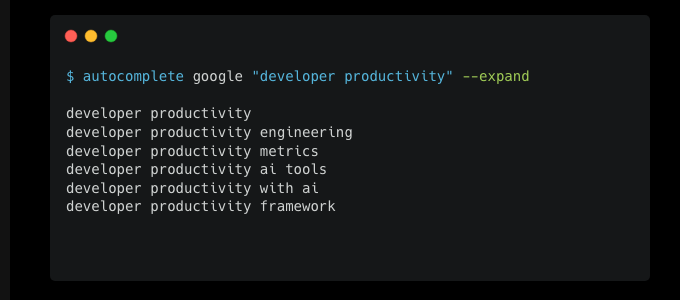
You're writing a blog article and want to know what people actually search for. With autocomplete you can suck in autocomplete keywords from Google, YouTube, Bing, etc.,
# Find Google autocomplete suggestions
autocomplete google "developer productivity" --expand

# Try YouTube to see what video titles work
autocomplete youtube "coding workflow" --expand
This helps you match your headline and content to real search behavior.
3. Reddit Research: How Do People Talk About This?
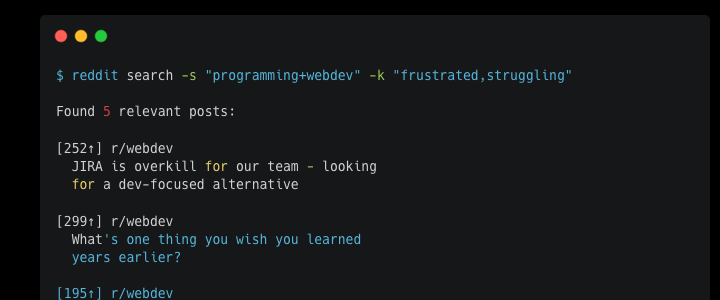
You want to understand how real people describe a problem—their words.
# Search Reddit for discussions
reddit search -s "programming+webdev" -k "frustrated with,struggling" --time month
Great for finding authentic language to use in your content, or just validating that a topic resonates.
The MCP Server: Natural Language Control
The mcp-server package bundles up all these CLI tools and makes them easily accessible to CLaude Code, Codex, etc., In addition to the typical reason to bundle up CLI tools via a slender MCP server; most of these tools - Twitter / Linkedin / Reddit / Youtube - have auth tokens you need for your interactions with the various platforms. Simply Bash-ing the CLI tools won't keep the associated tokens fresh / make it seemless to refresh the tokens (this is automated in the MCP server).
Once installed, you can use natural language to:
- Research keywords and Reddit discussions
- Draft and edit posts
- Post to Twitter, LinkedIn, Reddit
- Upload to YouTube
Install with:
make install-mcp
# Restart Claude Code
Getting Started
git clone https://github.com/neonwatty/social-starter-pack.git
cd social-starter-pack
make install
make check
Each tool has its own auth setup (Twitter API keys, LinkedIn OAuth, etc.)—see the docs for details.
Why CLI?
GUIs are great for browsing. But for quick capture-and-post workflows, the terminal wins:
- No context switching
- Scriptable and repeatable
- Works perfectly with AI coding assistants
- No algorithmic feed pulling you in
If you're the kind of person who lives in the terminal and occasionally has thoughts worth sharing, this might be for you.
GitHub Repo — Stars welcome, contributions even more so.
Related Posts
- CLI is All You Need - Why natural language + CLI tools beats building custom slash commands
- Keyword Research with Claude Code - Using autocomplete tools for SEO research